EG254S: IoT System Project
|
IoT Security
 Securing the IoT
Can we SECURE The Internet of Things?
There are many ways an attacker can access features or data on a connected device.
The three main target hacking points are:
1. the device,
2. the cloud infrastructure,
3. the network.
IoT Security is key to gain and
retain consumer trust on privacy and to fulfill the full potential of the IoT promise.
|

|
Approach to security in MQTT
Security in MQTT is divided in multiple layers. Each layer prevents different kind of attacks.
The goal of the protocol is to provide a really lightweight and easy to use communication protocol
for the internet of things. So that’s why in the protocol itself are only a few security mechanisms
clearly specified.
|
Transport Level
How to establish an end-to-end sensor-to-server security in all configurations?
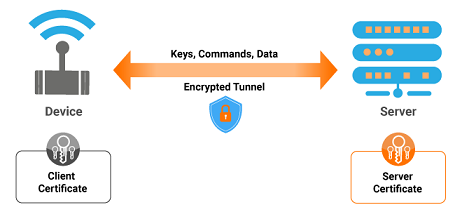
There is a simple answer: TLS (Transport Layer Security)
Securing communications over the network in most cases TLS/SSL is being used for
transport encryption. It provides a secure and proven way to make sure nobody can
read along and even authenticate both sides, when using client certification authentication.
|
|
|
The following are the steps for TLS/SSL configuration.
Configuring TLS/SSL on the Mosquitto Broker Activating TLS/SSL option in Mosquitto |

|
Application Level
On the transport level it can be ensured that the communication is encrypted and
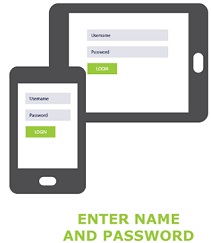
the identity is authenticated. The MQTT protocol provides a client identifier and
username/password credentials, which can also be used to authenticate devices on
the application level. These properties are provided by the protocol itself. When
it comes to authorization or what each device is allowed to do, it lays in the hand
of the broker implementation, how to handle it.
|
|