EG254S: IoT System Project - IoT Data

IoT Data Solution using MySQL
After considering the raw data as well as any transformations needed to make the data more informative and relative, the next step is to get started with building a database for my IoT data. MySQL is the world’s most popular open source database system for many excellent reasons. Hence, I have decided to build into my IoT data solution a database server using MySQL.
Building a Low-Cost MySQL Data Node
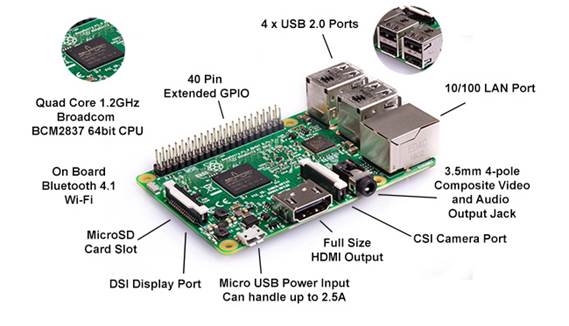
Data nodes are a key component in IoT solutions. For this project, I’ll be using the Raspberry Pi to act as a database server in the cloud. The Raspberry Pi is a small, inexpensive personal computer. Although it lacks the capacity for memory expansion and can’t accommodate on-board devices such as CD, DVD, and hard drives, it has everything a simple personal computer requires.
Follow the EG252S Lab 5a Lab sheet from the IoT Systems module for the installation and setup of MySQL server using a Raspberry Pi.
Creating a New Database and Table in MySQL Server
The most basic commands are the CREATE DATABASE and CREATE TABLE commands. To create a database, use CREATE DATABASE followed by a name, which I will name it as RatBaitStation, for the database.
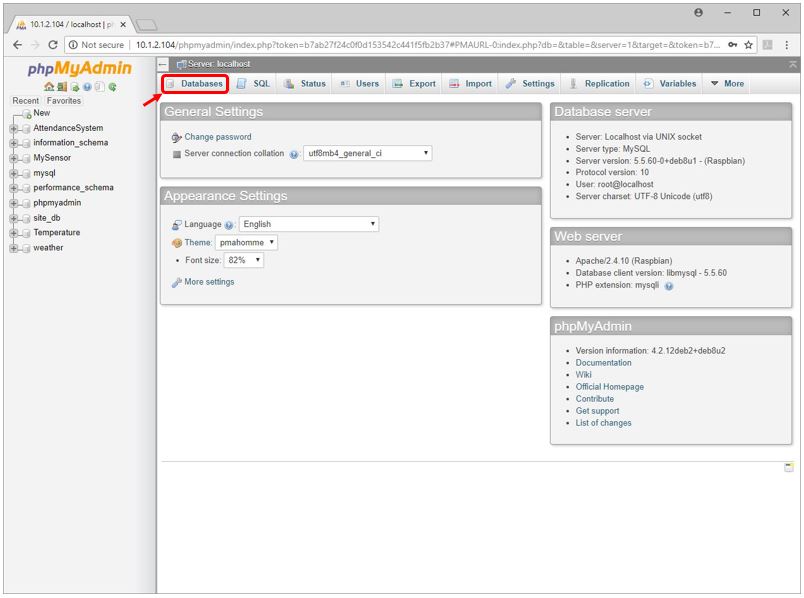
To make the job easy, let’s use phpMyAdmin. Login to the phpMyAdmin and click on Databases
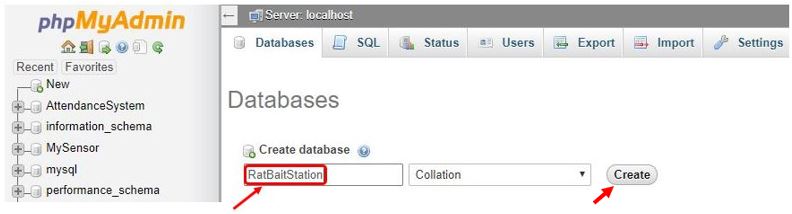
Under Create database (refer to diagram below), type “RatBaitStation” for the name of the database and click the Create button:
Next, create the table for the database.
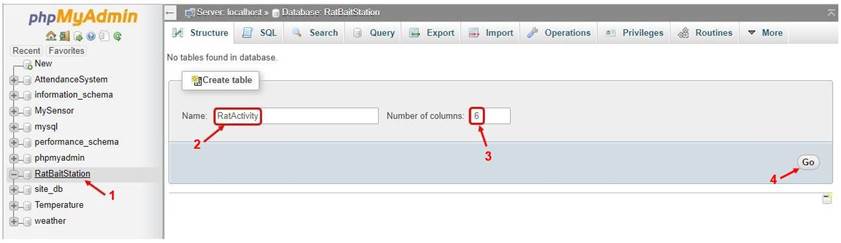
Click the 1→“RatBaitStation” database (refer to diagram below) that was just created above. Under Create table, type 2→ “RatActivity” for the name of the table I shall create and enter 3→ “6” for the number of columns. Click 4→ Go.
Name the 6 columns and their data types:
|
Name |
Data Type |
|
StationNo |
VARCHAR |
|
MeshnetID |
VARCHAR |
|
DateTime |
DATETIME |
|
TimeIn |
TIMESTAMP |
|
TimeOut |
TIMESTAMP |
|
RatCounter |
INT |
Enter the following information circled in red. Click Save.
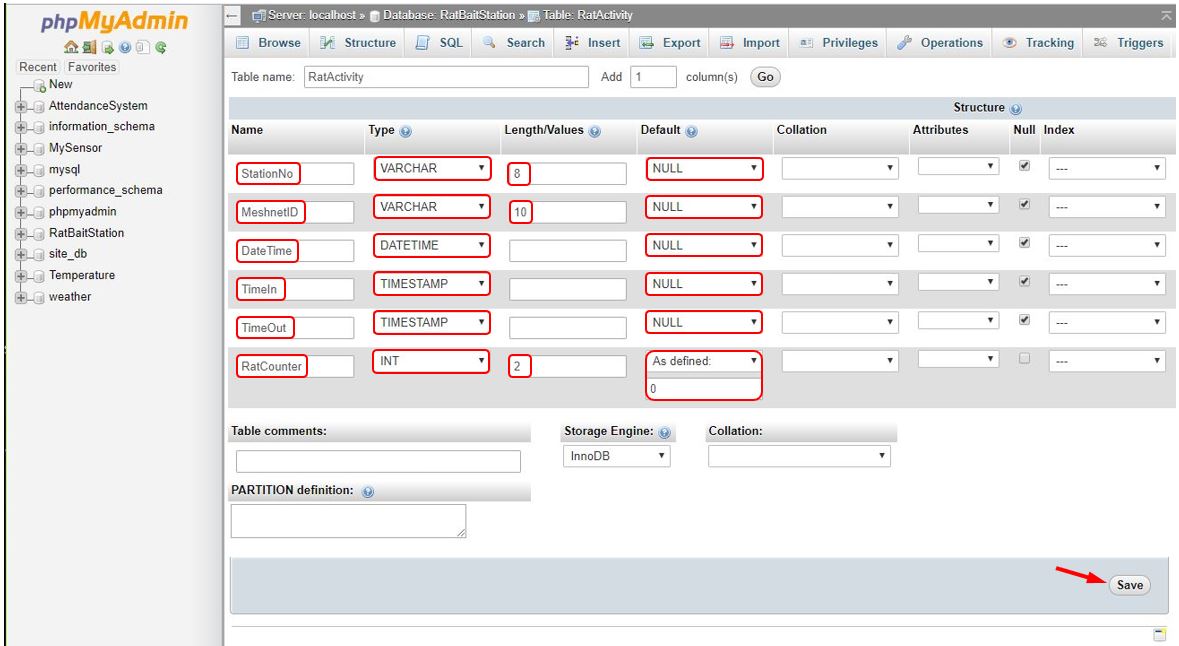
We have created a database: RatBaitStation and a table: RatActivity containing 6 names (columns) to describe the data.
Planning Database Storage for the Rat-Bait-Station Data
The objective of using MySQL server is to store data information from the mesh network of Rat-Bait-Stations on the rat activities happening in each station. Specifically, we want to store information that tells us when a rat enters the station and how often. With the DateTime, TimeIn and TimeOut data, we are able to know the date and time a rat has entered and left the station. It is also important to know the level of the poison bait left after the rats have eaten it, by using the RatCounter data.
Thus, the data we need to store consists of the four data mentioned: DateTime, TimeIn, TimeOut and RatCounter; as well as which Rat-Bait-Station and mesh network the rat has entered: StationNo and MeshnetID data.