ET1530: Project - Week 4 - 5
Set Ubuntu Server from DHCP to a Static IP Address
(Adapted from: https://help.ubuntu.com)
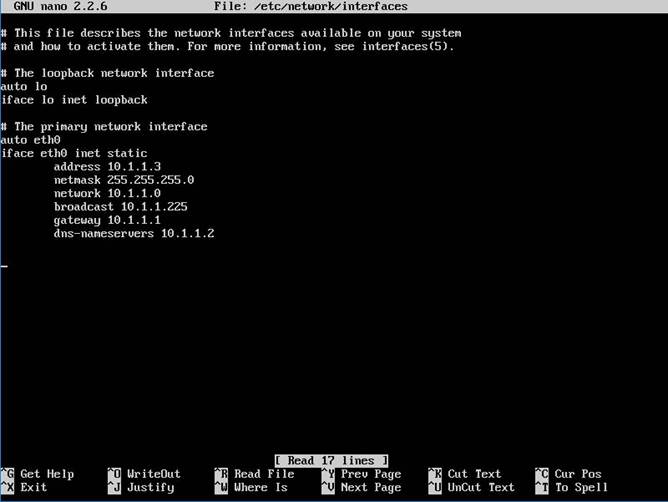
To configure the system to use a static IP address assignment, add the static method to the inet address family statement for the appropriate interface in the file /etc/network/interfaces.
sudo nano /etc/network/interfaces
The example below assumes we are configuring the first Ethernet interface identified as eth0, with these lines:
auto eth0
iface eth0 inet dhcp
As we can see, it’s using dhcp. We are going to change dhcp to static. Comment out the lines. Add the address, netmask, and gateway values to meet the requirements of the network.
auto eth0
iface eth0 inet static
address 10.1.1.3
netmask 255.255.255.0
network 10.1.1.0
broadcast 10.1.1.255
gateway 10.1.1.1
dns-nameservers 10.1.1.2
By adding an interface configuration as shown above, save the file by pressing Ctrl+x and key in yes.
Now, restart the networking components:
sudo /etc/init.d/networking restart
Check the new assigned ip address using ifconfig command.
We can also reboot the system:
sudo reboot