ET1530: Project - Week 2 - 3
Apache2 Userdir Module in Ubuntu Server
(Adapted from: http://ubuntuserverguide.com)
Apache2 userdir module is used to create a webroot in the user’s home directory. By using userdir module each user that is in the system will have the Apache2 root directory with the folder name public_html in the home directory, If we are using any web browser to access the webroot folder in the user directory we should use the “~” afterwards username. So, the url address to be http://[hostname]/~username/
Create 3 User Accounts
To add a user account, use the following syntax, and follow the prompts to give the account a password and identifiable characteristics, such as a full name, phone number, etc. (We shall create 3 user accounts.)
sudo adduser alvin
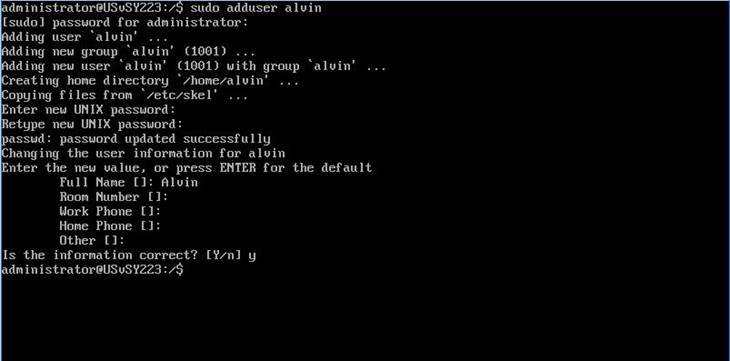
We will create 2 other user accounts, namely: bill and calvin, repeating the above steps.
Enable Apache2 Userdir Module
By default Userdir Module is available when apache2 package installed on ubuntu server but not yet active. We just need to enable userdir module to be used. Follow the guide how to enable Apache2 Userdir Module in ubuntu server.
Use command a2enmod to enable Apache2 userdir module. These command will create symlink /etc/apache2/mods-available/userdir.load and /etc/apache2/mods-available/userdir.conf in to directory /etc/apache2/mods-enable/:
sudo a2enmod userdir
Restart apache2 daemon with the following command:
sudo service apache2 restart
Create Folder in User Accounts
Logout from the root account and log in to each user:
exit
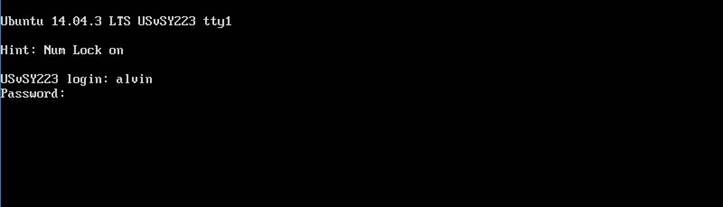
Create folder “public_html” in the home directory, then set permission public_html folder to 0755:
mkdir ~/public_html && chmod 0755 ~/public_html
Test the setup by opening a web browser and enter the url address to be http://vm223.t933.lab/~alvin/
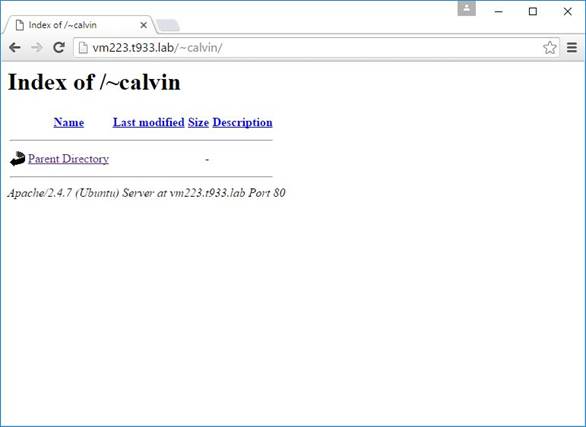
Repeat the above steps to create 2 other user accounts: bill and calvin.