EG254S: IoT System Project - IoT Data

Data in Action
After creating a new database: RatBaitStation and a table: RatActivity containing 6 data columns: stationNo, MeshnetID, DateTime, TimeIn, TimeOut and RatCounter; as well as coding the Python program on the Raspberry Pi, we are ready to see the data in action.
The Setup
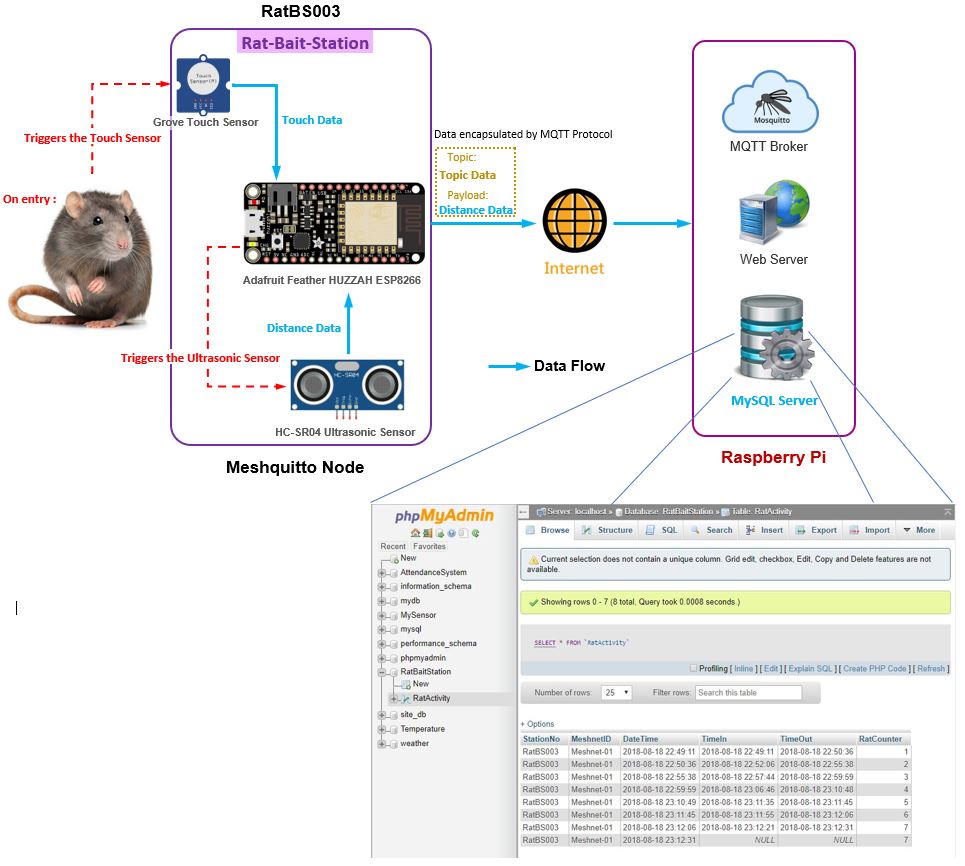
We will be using StationNo: RatBS003 for all data in actions. Run the Python program in the Raspberry Pi and login phpMyAdmin. We will be using phpMyAdmin to view the RatActivity table in MySQL.
The 1st Data in Action: False alarm!
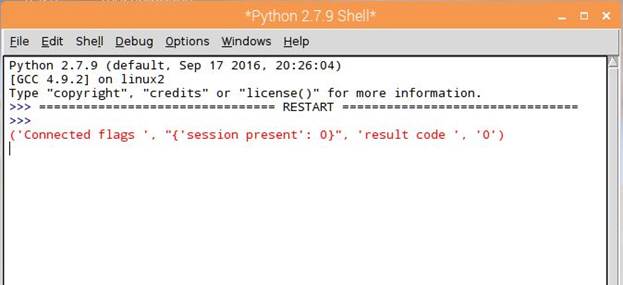
Once the Python program (MQTT Client: Subscriber) has ran, we can see a connection has been made to the MQTT Broker. The result code 0 indicates the MQTT client has successfully authenticated:
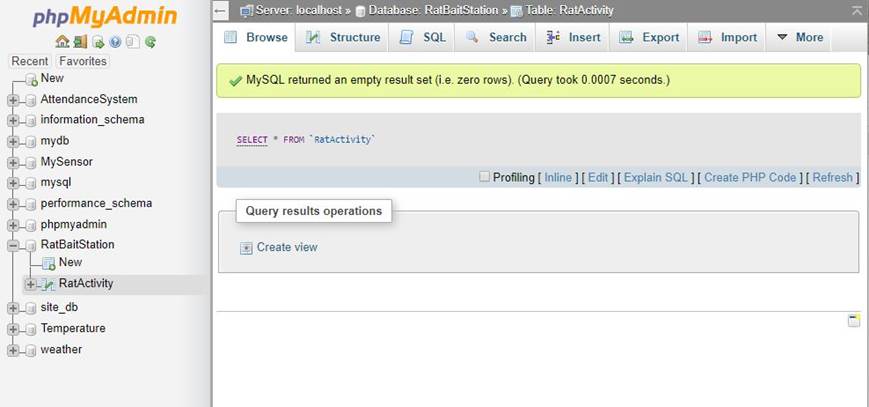
Upon logging in to phpMyAdmin, click on the RatBaitStation database followed by the RatActivity table. You will see the table is empty:
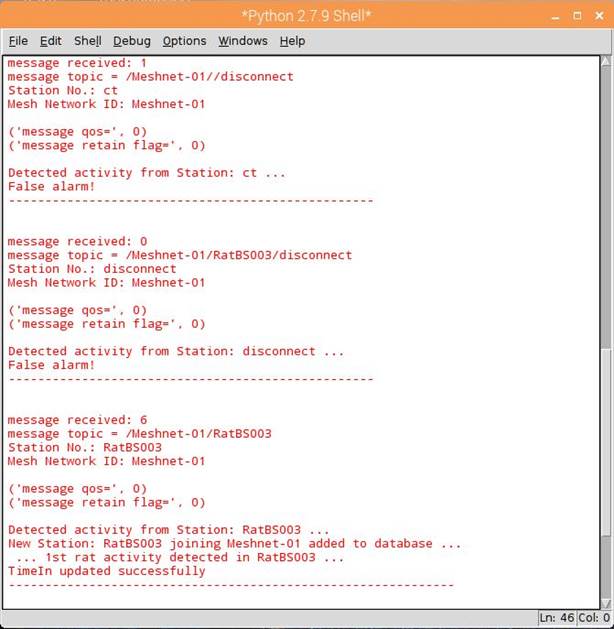
The 1st data action we would see is to trigger the touch sensor with no rat entry. The ultrasonic sensor will sense a distance of 14 cm, which means no rat has entered (message received: 14):
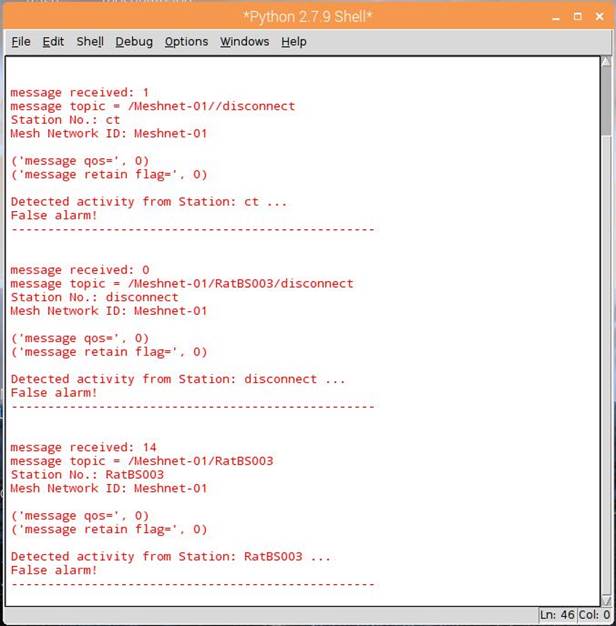
Notice as well from the Python shell, when the MQTT Topic is disconnect, the program prints out False alarm!. Hence, for all messages containing 0, 1 or 14 cm and above, the program prints out False alarm!. No data is inserted to MySQL table.
Note: The MQTT Client (Python program) is subscribed to the main Topic: /Meshnet-01/. Therefore, the MQTT client is automatically subscribed to sub-topics like: disconnect, RatBS001, RatBS002, ... , etc, as long as those sub-topics are under the main topic: /Meshnet-01/.
The 2nd Data in Action : Rat enters
The 2nd data action we want to see is trigger the touch sensor with rat entry. The ultrasonic sensor will sense a distance of less than 14 cm, which means a rat has entered (message received: 6):
Click Refresh in the phpMyAdmin for the RatActivity table:
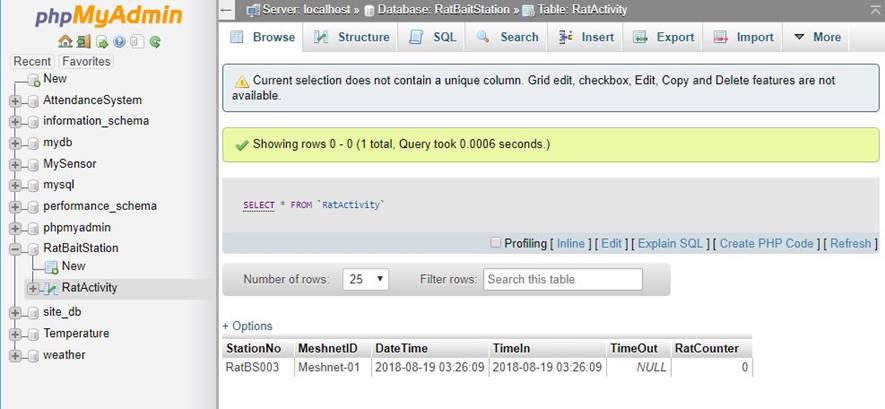
A new station: RatBS003 is added to the RatBaitStation database in the RatActivity table, as well as the TimeIn updated indicating the time of the rat entering the station.
The 3rd Data in Action : Rat leaves
The 3rd data action we want to see is trigger the touch sensor with rat leaving. The ultrasonic sensor will sense a distance of 14 cm, since the rat has left (message received: 14):
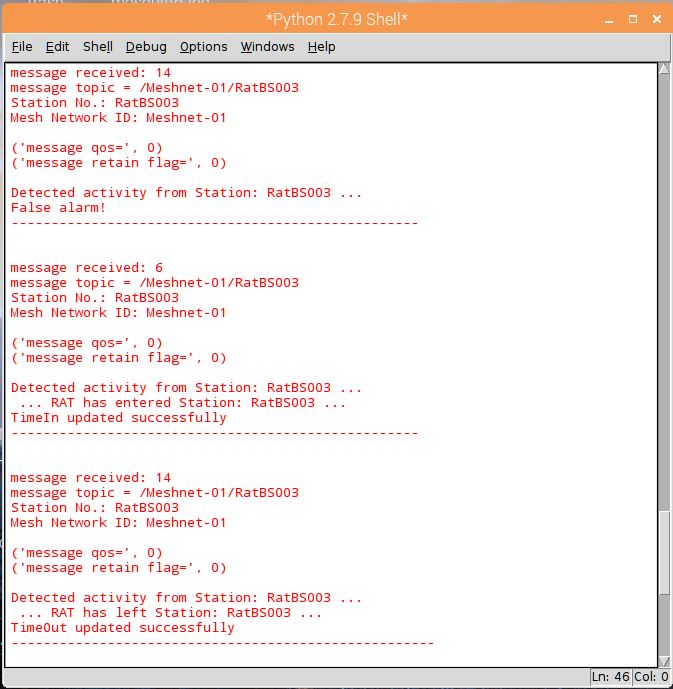
Click Refresh in the phpMyAdmin for the RatActivity table:
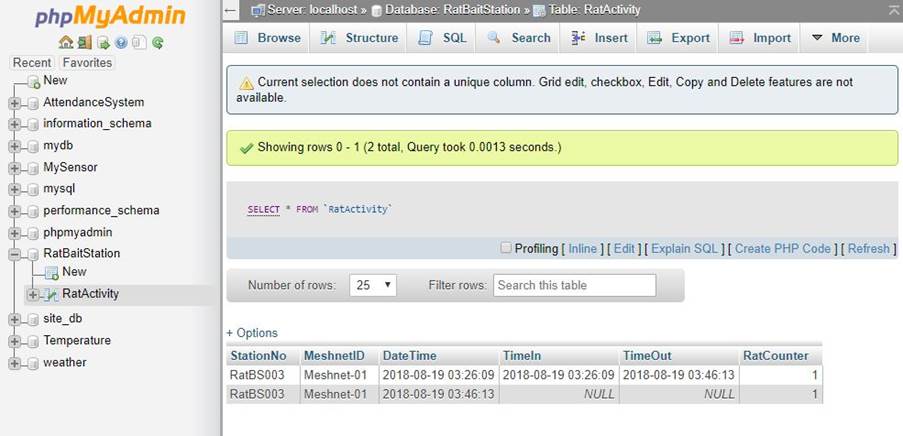
The TimeOut is updated indicating the time of the rat leaving the station and the RatCounter incremented by 1; followed by a new record is inserted into the table, ready for the next rat to enter.
In each record, the DateTime and TimeIn tells the duration from the last rat leaving the station to the next rat entering it.
Watch the video below, on the above data in actions, with repeated actions of a rat entering and leaving the station totalling three data entries recorded in the MySQL table.
Watch the video: